"""This script computes the total cost of purchasing some number of items, given
the number of items and the cost for one individual item. It prints the result."""

num = int(input("How many items? "))
#      Asks user for the number of items, converts string to integer and assigns to num
cost = float(input("Cost of one item? "))
#      Asks user for the cost of one item, converts string to float and assigns to cost
total = num * cost
#      Computes the total cost by multiplying num and cost, and saves result to total
print("Total cost =", total)
# prints the total cost, along with an explanatory messageOverview
This assignment is individual work!
- Do not share or borrow solutions from other students.
- Do not use AI assistants to generate code for you.
- Do ask preceptors and instructors for help with the code, including what to write and debugging.
- Do ask peers or AI assistants for help in understanding error messages, but not for help in writing or debugging your work.
This homework assignment will ask you to demonstrate your skills at understanding, debugging, planning, and creating python scripts and function. The list of topics for this assignment include:
- Scripts, statements, expressions, variables
- For loops
- Conditionals (if statements)
- Functions
- Color and image representations in OpenCV, reading and displaying images
- Drawing on images using OpenCV tools
To hand in: You will use the Homework 1 Github Assignment to set up this assignment, and to push your code to save it to the cloud, to hand it in.
Handling images: We don’t need to include all the images in the SampleImages folder in every Github repo we make. Therefore, you should copy the folder into this project, but do not add them to the repo. That way, they won’t be included in the cloud stored version. One exception: If you choose for question 4 or question 6 to use your own background images, copy the image into this project and do add your images to the repo, or else your graders won’t be able to run your code the way you want.
Question 1: Understanding a mystery script
In the file q1Mystery.py there is a script. Your task is to determine what this script is doing. We would like you to annotate each line of code in the script with a description that describes what the line does, and its purpose in the overall script. Also write a descriptive summary of the overall purpose or goal of the script. What is it for?
Below is an example script, annotated as we would like you to do.
Specifications for Question 1
Base specifications:
- Each line of code is followed by a descriptive comment
- Each line comment accurately describes all effects of the line
- A comment at the top describes the overall purpose of the script
Extended specifications:
- The descriptive comment at the top is a triple-quoted string
- Add your name to the top comment
- Remove TODO comments as they are completed
- Each line comment has spaces at the front to indent the comment for easier reading
- All TODO comments have been removed (because they have been completed)
Ratings:
- To receive a gold rating, complete all base specifications, and at least 2 of the extended specifications.
- To receive a silver rating, complete at least two base specifications.
- To receive a bronze rating, complete at least one base specification.
Question 2: Debugging a script
In the file q2Debug.py, you will find a script. This script is supposed to go through a list of words, and make two new lists; the first list holds all the words from the starter list that contain the letter ‘a’, and the other list holds all the words from the starter list that contain the letter ‘t’.
This script has six bugs in it.
- Find each bug and mark the line with a comment that describes the bug
- Determine a fix to correct the code (and add that to the comment on that line)
Specifications for Question 2
Base specifications:
- Identify/mark one actual bug
- Marks the first bug with a comment that accurately describes the bug and its correction
- Correct the first bug
- Identify/mark a second actual bug
- Mark the second bug with a comment that accurately describes the bug and its correction
- Correct the second bug
- Identify/mark a third actual bug
- Mark the third bug with a comment that accurately describes the bug and its correction
- Correct the third bug
- Identify/mark a fourth actual bug
- Mark the fourth bug with a comment that accurately describes the bug and its correction
- Correct the fourth bug
- Identify/mark a fifth actual bug
- Mark the fifth bug with a comment that accurately describes the bug and its correction
- Correct the fifth bug
Extended specifications:
- Add your name to the top comment
- Remove TODO comments as they are completed
- Identify/mark the sixth and final bug
- Mark the sixth bug with a comment that accurately describes the bug and its correction
- Correct the sixth bug
Ratings:
- To receive a gold rating, complete all base specifications, and at least 3 of the extended specifications.
- To receive a silver rating, complete at least 12 specifications, at least 10 base.
- To receive a bronze rating, complete at least 10 specifications, at least 8 base.
Question 3: Planning an algorithm in pseudocode
For this problem, you will not be writing Python code. Instead, we want you to plan out an algorithm by writing it in pseudocode. Pseudocode is an informal way of describing an algorithm, using English along with some structures that are similar to control structures, but are deliberately not specific to any programming language. It is a good way to work out the steps of what you want to do, before getting into the details of Python.
Below is an example of the kind of pseudocode we would like you to write. Note that the lines starting with --- are meant to be comments, and indentation is used to indicate which steps belong to the loop.
Algorithm drawCenteredSquares(image, color)
--- This takes an image and a color, and draws 3 squares with sizes 50, 100, 150,
--- centered in the image

1. Find out the width and height of the image

--- Calculate the midpoint of the image
2. Let midX = width / 2
3. Let midY = height / 2
4. Repeat for size = [50, 100, 150]

    --- Compute the upper-left and lower-right corners of the square
5.     Let ulx = midX - (size / 2)
6.     Let uly = midY - (size / 2)
7.     Let lrx = midX + (size / 2)
8.     Let lry = midY + (size / 2)

    --- Draw the square
9.     Draw the square on the image using OpenCV, with
             tuples (ulx, uly), (lrx, lry), color, and thickness of 2
Your task: an algorithm to draw circles on an image
Your goal is to plan out, in pseudocode, an algorithm that would take in an image and the number of circles, and it would draw that many circles on the image. Each circle should have a random location (its center point may be anywhere within the image), a random radius between 10 and 50, and a random color.
There are two main ways for you to make random colors.
- One approach would be to make a palette, a list containing color tuples that you have selected. Then your algorithm would choose one of the tuples from the list randomly, for each circle.
- The other approach is to generate random values for red, green, and blue, each one between 0 and 255. This would allow you to generate any possible color, but some of those colors might be very dark, very light, or just plain ugly.
This is your choice. Decide on it, and write your pseudocode so it is clear which approach you chose.
Put your pseudocode for this question in the q3Pseudocode.txt file (note that it is not a Python file).
Specifications for Question 3
Base specifications:
- Start pseudocode with an algorithm “declaration” line that shows the name and the inputs
- The lines of the algorithm are not written in Python notation
- The algorithm includes a loop for drawing multiple circles
- The algorithm has roughly 7-10 steps
- The algorithm is substantially correct, describes a correct process for determining and drawing the circles
Extended specifications:
- The pseudocode uses indentation to indicate steps that are part of a loop or conditional
- The pseudocode contains comments to explain its purpose, and to highlight the phases in the code
Ratings:
- To receive a gold rating, complete all base specifications, and at least 1 of the extended specifications.
- To receive a silver rating, complete at least 4 specifications in all, at least 3 base specifications.
- To receive a bronze rating, complete at least 3 base specifications.
Question 4: Implementing from pseudocode
For this question, you are going to implement the pseudocode you created in question 3! The file q4Circles.py has starter code for this question. You will complete it by:
- Translate your pseudocode into Python as the body of the
drawCirclesfunction. - Write a main program that:
- Reads in an image of your choice to be the background (it’s fun to use a larger image)
- Uses the
inputfunction to ask the user for how many circles to draw (don’t forget to convert it fromstrtoint) - Calls the
drawCirclesfunction and passes it the image and the number of circles - Display the image at the end
Figure 1 shows a typical result using the beachBahamas.jpg image and drawing 20 circles on it.
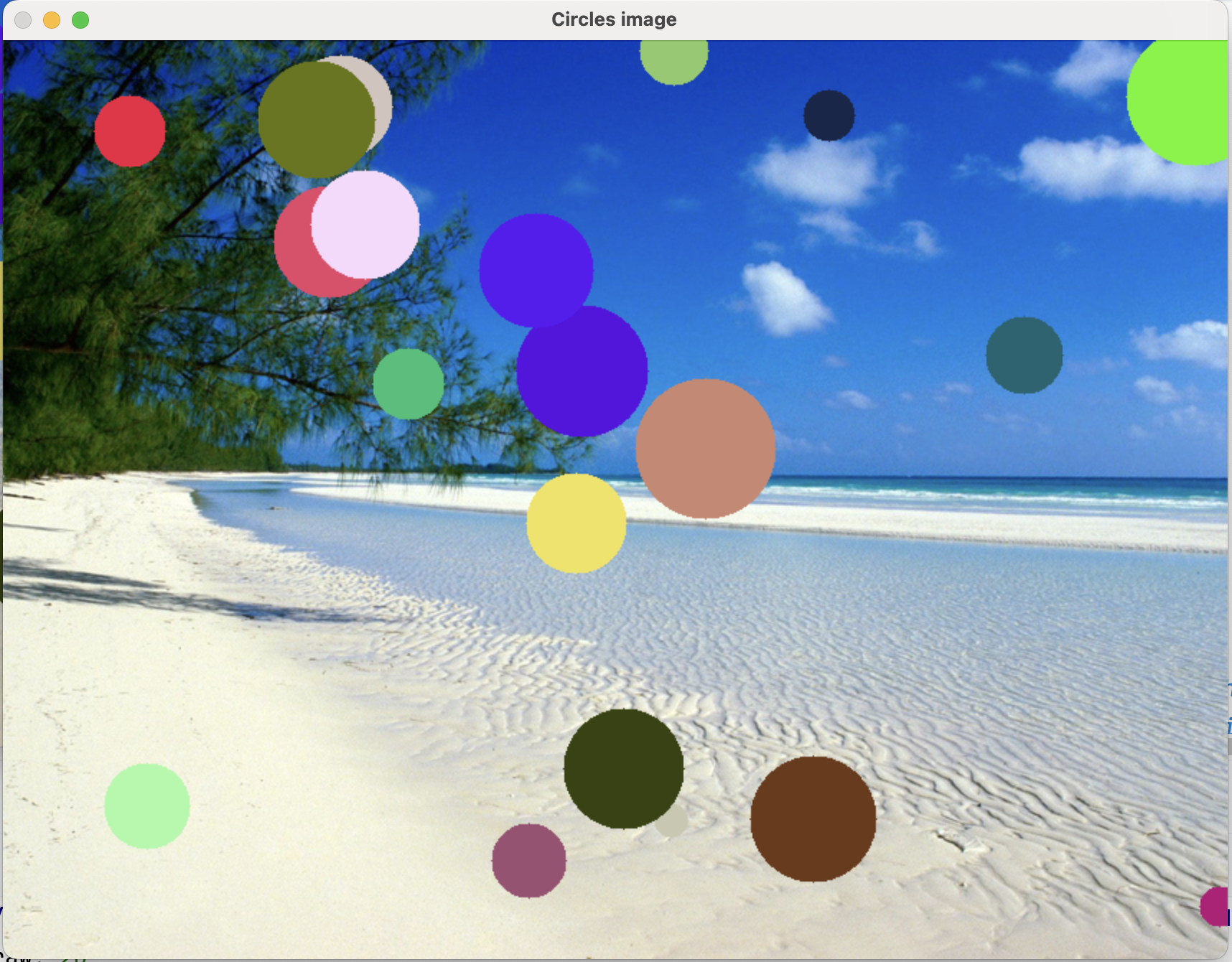
drawCircles(img, 20) where img holds the beach image
Specifications for Question 4
Base specifications:
- Use a
forloop effectively to repeatedly draw circles - Generate x position random value as an integer in the correct range
- Generate y position random value as an integer in the correct range
- Generate radius random value as an integer in the correct range
- Generate random color value as tuple of integers in the correct range
- Draw filled in circles of random sizes, positions, and colors
- Program works correctly, as described above:
- Reads in a background image
- Asks the user for how many circles
- Uses
drawCirclesto draw that many circles randomly (as defined above)
Extended specifications:
- Add your name to the top comment
- Remove TODO comments as they are completed
- Give parameter variables meaningful variable names
- Include a descriptive comment as a triple-quoted string just below the
defline that describes what the function does
Ratings:
- To receive a gold rating, complete all base specifications, and at least 2 of the extended specifications.
- To receive a silver rating, complete at least 7 total specifications, at least 5 base.
- To receive a bronze rating, complete at least 5 total specifications, at least 3 base.
Question 5: Extending an existing function
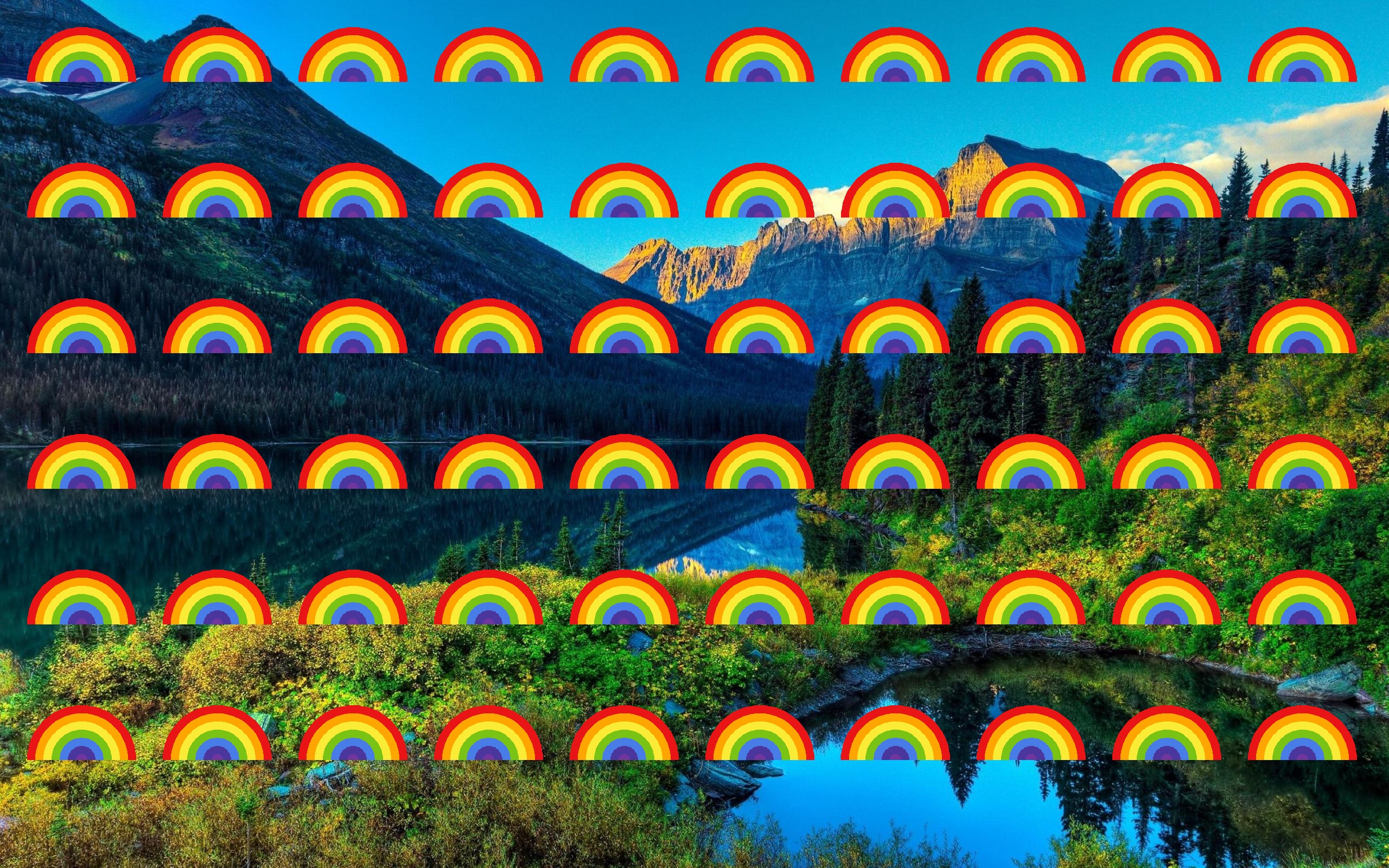
This question asks you to both read and understand code, and to change it, to extend it to do more than it currently does. The file q5Rainbows.py contains a function, drawRainbow and a main script. Ultimately, we want this program to read in the lanscape1.jpg image, and to draw a grid of small rainbows across the image (as shown in Figure 2). However, the code doesn’t quite do everything we want yet. Your task is to understand the existing code, and to add to the function drawRainbow.
Step 1: Examine and understand the starter code
Work through the steps below that guide you in making sense of the starter program
- Run
q5Rainbows.py. It should produce an output that looks like Figure 3.
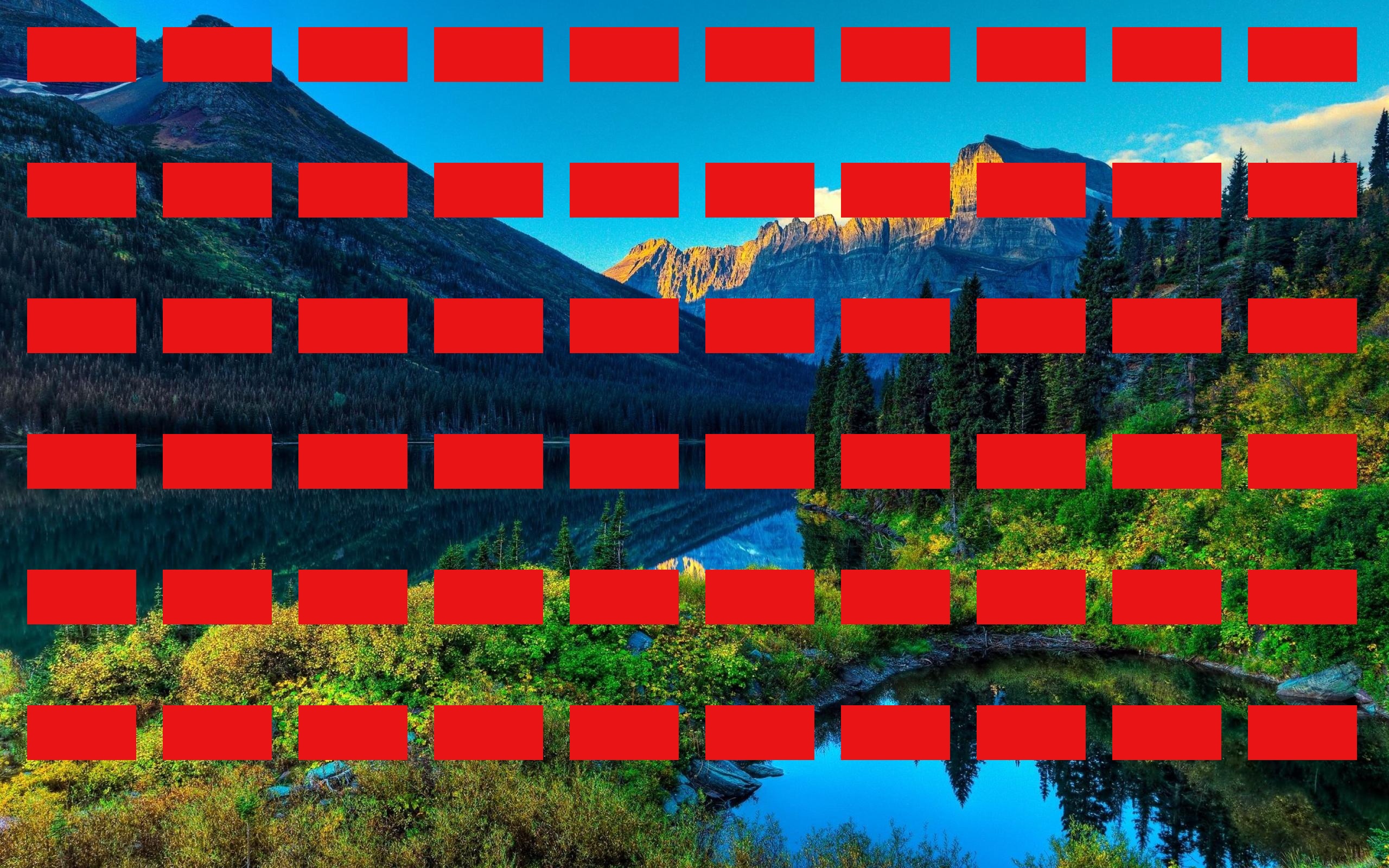
Notice that the red rectangles are drawn where we ultimately want the rainbows to be drawn
Examine the script at the bottom of the file.
- It reads in the image
- Then, it has a pair of nested
forloops that iterate over (x, y) coordinates where we want to draw rainbows - It calls the function
drawRainbowonce for each (x, y) pair - It then displays the image
- The call to
waitKeyhere is passed the value 100, this causes the program to pause for 100 milliseconds and then to go on, not to wait indefinitely for the user to hit a key
You don’t need to modify the main script. Just understand what parts of the problem it does for us (placing rainbows in a grid and displaying the image)
Next, examine the function
drawRainbow.- It takes in the image and the (x, y) position to center the rainbow on (this will be the center point of the full ellipse, so when we draw a half-ellipse this point will sit on the bottom of the half-ellipse)
- Notice the defined list
colors: this defines colors for the seven ROY-G-BIV rainbow colors - Notice the call that draws the red rectangle: do you understand why we pass the two points the way we do?
Step 2: Change rectangle for half-ellipse
We will use incremental development to change the program one step at a time toward what we want.
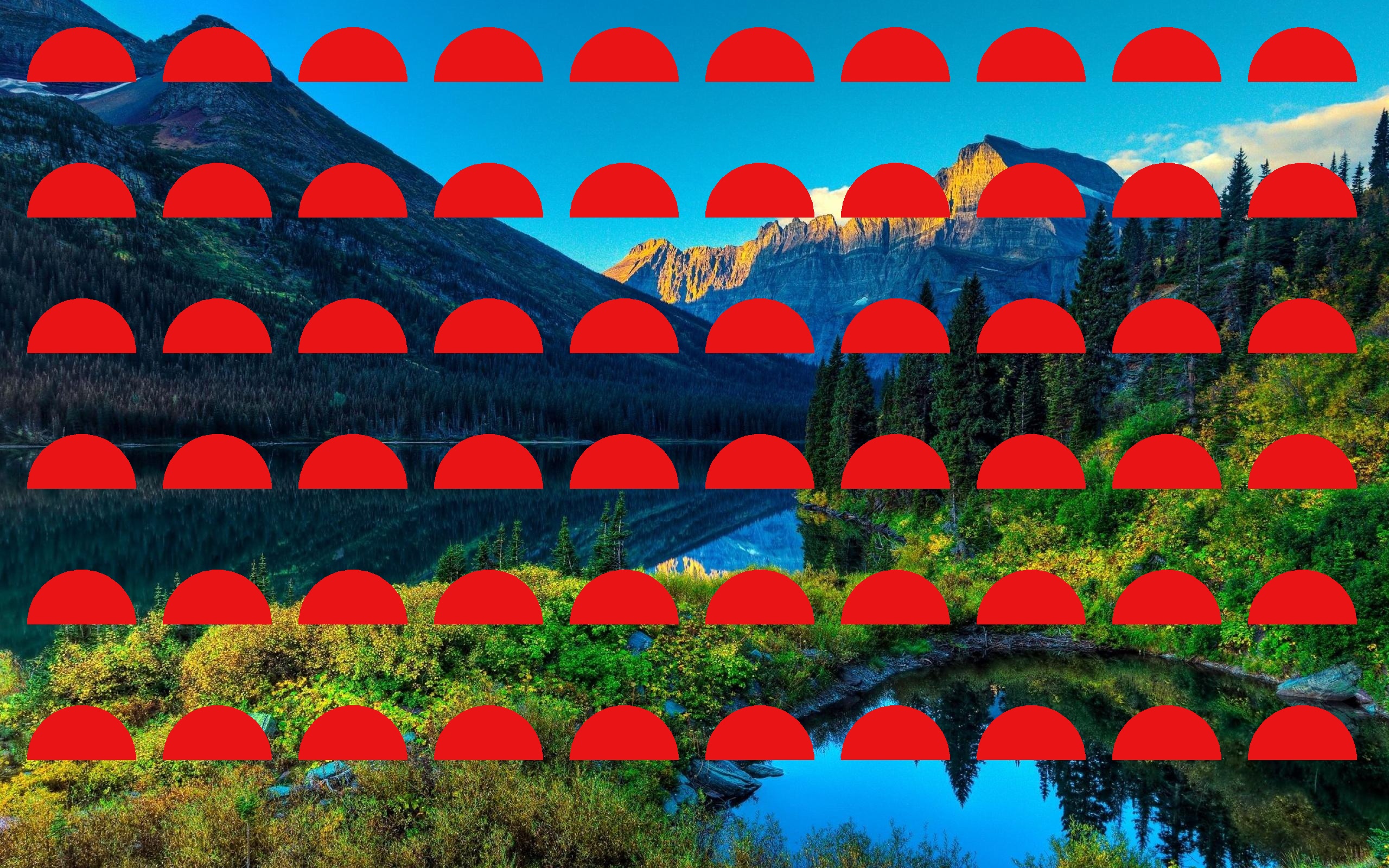
For this step, we want to change the red rectangle to a red half-ellipse that is centered on the (x, y) position that is a parameter of the function, and that has currSize for both horizontal and vertical axes. It should draw only the upper half of the ellipse (that might take some experimentation).
Remove the call to rectangle and add a call to ellipse, changing the inputs accordingly. (Make sure you keep the assignment of currSize to 100, we will need that later!)
The result of this step should look like Figure 4; don’t go on until you are producing this result.
Step 3: Add the other colors
For this last step, we are going to draw a series of ellipses centered at the same location, each one smaller than the one before, and each one the next color in the rainbow (and the colors list).
- Between the definition of
currSizeand the call toellipse, insert aforloop that iterates over the colors in thecolorslist. - Indent the call to
ellipseso it is part of the loop body. - Use the loop variable in place of the current color in the call to
ellipse(If you run the code at this point, you should see violet half-ellipses instead of red ones.) - The last step is to reduce the size of the half-ellipse for each iteration of the
forloop. To do this we will turncurrSizeinto an accumulator variable, by subtracting 15 from its value inside the loop. Add a line after the call toellipse. Make sure the new line is indented to match theellipsecall. On that line, updatecurrsizeto have the value ofcurrSize - 15.
Try running the program at this point. If you’ve done each step correctly, you should see the target picture.
Specifications for Question 5
Base specifications:
- Call to
rectanglehas been replaced with a call toellpse - Ellipses are drawn as a half-circle,
currSizebycurrSize, the top half of the circle, filled in - Code includes a
forloop that iterates over the colors in thecolorslist - Colors of the ellipses are the rainbow colors in order, as given in the
colorslist - The program works correctly, producing the goal image shown above
Extended specifications:
- Add your name to the top comment
- Remove TODO comments as they are completed
- Make the descriptive comment at the top be triple-quoted
Ratings:
- To receive a gold rating, complete all base specifications, and at least 1 of the extended specifications.
- To receive a silver rating, complete at least 5 specifications overall, at least 3 base.
- To receive a bronze rating, complete at least 4 specifications overall, at least 2 base.
Question 6: Drawing a tree
For this last question, let your creativity out a bit. Your task is to pick a background image, either from SampleImages or from somewhere else (see the note in the Overview section above about images). On that image you will draw a tree of some kind, of your design. It can be a fairly simple tree, or more elaborate. Consider Ordinary trees with green leaves, or with fall colors, or evergreen trees, or palm trees. The tree could have flowers on it, or birds, or other decorations. Whatever you would like to draw.
Create a Python file, q6Tree.py, to put your code in for this part. Make sure to add a triple-quoted comment at the top of the file like we have for the other question.
You may create this as a script, without using functions. But you are welcome to use functions if you like. Try to make your code concise, using loops where they make sense to use.
There are some requirements, see the specifictions listed below and make sure that you meet them.
Specifications for Question 6
Base specifications:
- The program must load a background image
- Use at least three different drawing functions (circles, rectangles, ellipses, lines, etc.)
- The tree must have at least 5 elements (at least five calls to drawing functions)
- Use at least three distinct colors (use a color picker to pick attractive colors)
- The program must draw a recognizable tree (or part of a tree)
- Include a descriptive comment at the top like we used for earlier questions, that gives the file name, author, and a description of what your program will draw
Ratings:
- To receive a gold rating, complete all base specifications.
- To receive a silver rating, complete at least 4 base specifications.
- To receive a bronze rating, complete at least 3 base specifications.
What to hand in
You will hand in your work using commit and push to copy the files to Github (you should commit and push after every work session, not just at the end).
You should make sure these files are added by git to the files it is tracking:
q1Mystery.pyq2Debug.pyq3Pseudocode.txtq4Circles.py- Any images other than those in
SampleImagesused inq4Circles.py q5Rainbows.pyq6Tree.py- Any images other than those in
SampleImagesused inq6Tree.py